What Is a Stub Creator and How Does It Work?
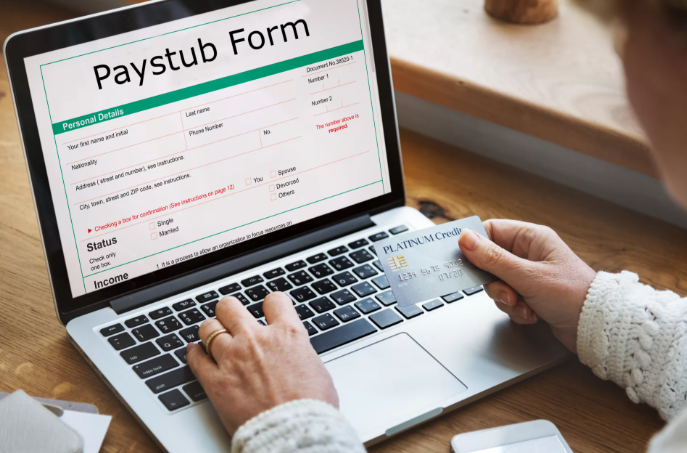
Pay stubs are an important part of keeping payroll information organized. Employees may need them to understand their earnings, while businesses may use them as part of their payroll records. But creating these documents manually can take time, especially when the same information has to be entered and calculated for every pay period.
A stub creator is a tool designed to simplify this process. It allows users to enter relevant payroll information and generate a structured pay stub without having to format the document from scratch.
But how exactly does a stub creator work, and what should you know before using one?
What Is a Stub Creator?
A stub creator is an online tool that helps users prepare pay stub documents using information such as employee details, earnings, taxes, deductions, and pay dates.
Instead of creating a document manually in a word processor or spreadsheet, users can enter the required information into predefined fields. The tool then organizes that information into a formatted pay stub.
The exact features vary between providers, but many tools are designed to make the process quicker and easier for small businesses, employers, contractors, and individuals who need organized payroll documentation.
How Does a Stub Creator Work?
Using a stub creator generally involves a few straightforward steps.
1. Enter Employee and Employer Information
The first step is usually entering basic information about the employee and employer. This may include names, addresses, identification details, and other information required by the particular pay stub format.
Accurate information is important because even a professionally formatted document can be problematic if the underlying details are incorrect.
2. Add Pay Information
Next, the user enters information about the employee’s compensation.
Depending on the tool and payroll situation, this may include:
- Regular wages
- Hours worked
- Overtime
- Bonuses
- Commissions
- Pay period
- Pay date
- Gross earnings
A good paystub creator organizes these details into appropriate sections so the final document is easier to read.
3. Add Taxes and Deductions
Taxes and deductions are another important part of a pay stub.
Depending on the employee and applicable requirements, the document may contain federal and state taxes, Social Security, Medicare, insurance deductions, retirement contributions, or other deductions.
Users should review the information carefully before generating the final document. A pay stub generator can help organize calculations, but users are still responsible for entering accurate information and using the resulting document appropriately.
4. Review the Pay Stub
Before downloading or printing the document, review the information.
Check the employee’s name, pay dates, earnings, deductions, taxes, gross pay, net pay, and year-to-date figures. If anything looks incorrect, correct the information before creating the final version.
This review step is especially important when pay stubs are being prepared as part of legitimate payroll documentation.
5. Generate the Final Document
Once the information has been reviewed, the tool can generate the formatted pay stub.
Depending on the provider, users may be able to download or print the finished document. Digital copies can also make it easier to maintain organized payroll records.
Who Can Use a Stub Creator?
A stub creator can be useful for different types of users.
Small businesses may use one to prepare employee payroll documentation without formatting every document manually.
Employers and payroll administrators may use these tools when they need a convenient way to produce individual pay stubs.
Contractors and self-employed workers may also need organized income documentation, although the appropriate documentation can depend on how they are paid and the purpose for which it is being requested.
The key is to use a pay stub tool for accurate, legitimate payroll or income documentation rather than creating misleading financial records.
What Makes a Good Pay Stub Creator?
Not every tool offers the same experience. When choosing a pay stub creator, consider whether it provides:
- A simple interface
- Clear payroll fields
- Support for relevant earnings and deductions
- Accurate calculations
- Professional formatting
- Easy document access
- Appropriate privacy and security practices
It is also useful to check whether the tool supports the type of worker and payroll situation you are dealing with.
Stub Creator vs. Pay Stub Template
A template and a stub creator serve slightly different purposes.
A free download paystub template can provide a pre-designed format that users can download and fill out manually. This can be helpful for understanding the structure of a pay stub.
A stub creator, on the other hand, is generally designed to make the process more interactive by allowing users to enter payroll information into specific fields and generate a completed document.
For someone who regularly prepares pay documentation, a generator may be more convenient than manually editing a template.
Frequently Asked Questions
What is a stub creator?
A stub creator is a tool that helps users generate formatted pay stub documents by entering information about earnings, taxes, deductions, employees, employers, and pay periods.
Is a paystub creator the same as payroll software?
Not necessarily. A paystub creator generally focuses on producing pay stub documents, while full payroll software may offer broader functions such as employee management, payroll processing, tax filing, and reporting.
Can a stub creator calculate taxes?
Some tools can calculate certain payroll taxes based on the information entered. However, users should always review the results and make sure the information and applicable requirements are correct for their specific situation.
Can I download a free paystub template?
Yes, templates are available online and can be useful for understanding the structure of a pay stub. A template generally requires more manual editing than an online pay stub creator.
Who can use a pay stub creator?
Employers, small businesses, payroll administrators, and other users with legitimate payroll documentation needs may use a pay stub creator. The information entered should always be truthful and accurate.
Create a Pay Stub Online
A stub creator can simplify the process of organizing payroll information into a professional-looking document. Whether you’re managing payroll for a small business or need to prepare legitimate income documentation, using a structured tool can save time compared with creating each document manually.
If you’re looking for a simple way to create a pay stub online, you can use StubCreator to enter your payroll information and generate a formatted pay stub.
Create Your Pay Stub Online →
If you are looking for a template instead, you can also explore a free download paystub template to understand the typical structure and fields included in a pay stub.