Smart Thermostats and Your AC: How to Save Energy Without Sacrificing Comfort
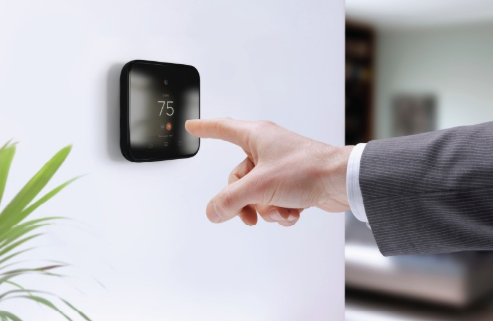
Smart thermostats have become one of the most popular home tech upgrades, and for good reason. They learn your schedule, let you adjust the temperature from your phone, and promise lower energy bills. But a smart thermostat is only as smart as the system it controls and the way it is set up. Installed carelessly or programmed poorly, it can leave your home uncomfortable and your air conditioner working harder than it should.
Here is how to get the most out of a smart thermostat, especially if you live somewhere warm where the AC runs for much of the year.
What a smart thermostat actually does
A traditional programmable thermostat follows a fixed schedule you set once and often forget about. A smart thermostat goes further. Depending on the model, it can learn when you are usually home, use your phone’s location to tell when you leave and return, adjust for outdoor weather, track how long your system runs each day, and send reminders when it is time to change the filter.
The energy savings come from running the air conditioner less when no one needs it. ENERGY STAR estimates that certified smart thermostats can save about 8 percent on heating and cooling bills, and the real-world result depends heavily on your habits and climate. The key point is that the thermostat does not make your AC more efficient by itself. It simply helps you avoid cooling an empty house.
Check compatibility before you buy
Most smart thermostats work with common central air systems, but not all. Before you buy, check a few things:
- Wiring: Many smart thermostats need a common wire, often called a C-wire, to supply constant power. Older systems sometimes lack one. Some models include an adapter, but the installation instructions should be followed closely.
- System type: Heat pumps, multi-stage systems and variable-speed equipment need a thermostat that supports them. Choosing the wrong one can prevent the system from running at its most efficient settings.
- Ductless systems: Mini-splits usually use their own controllers and need a specific smart adapter rather than a standard wall thermostat.
If you are unsure, take a photo of the wires behind your current thermostat and check the manufacturer’s compatibility tool, or ask an HVAC technician during your next service visit.
Placement matters more than people think
A thermostat reads the temperature right where it hangs. If it sits in direct afternoon sun, next to a lamp, above a TV or near a kitchen, it will think the house is warmer than it is and run the AC longer than necessary. If it is in a drafty hallway or right next to a supply vent, it may shut the system off too early and leave the rest of the house warm.
The best location is an interior wall in a central, frequently used area, away from direct sunlight, doors and heat-producing appliances. Many newer models also support remote room sensors, which can average temperatures across several rooms or prioritize the rooms you actually use.
Smart settings for warm, humid climates
In hot, humid areas, comfort depends on moisture as much as temperature. Some common energy-saving advice works less well there, so adjust accordingly.
- Use moderate setbacks. Raising the temperature a few degrees while you are away saves energy. Shutting the AC off completely for long periods can let humidity build up, which makes the home feel sticky and takes extra time and energy to recover.
- Use humidity features if you have them. Some thermostats can run the system longer at lower fan speed or work with a dehumidifier to keep indoor humidity in a comfortable range.
- Set the fan to “auto.” Running the blower constantly can pull moisture off the indoor coil and blow it back into the house. “Auto” lets the system dehumidify properly.
- Plan vacation settings carefully. If you leave home for weeks at a time, set a temperature that protects against mold and moisture rather than turning the system off.
Let the data help with maintenance
One of the most useful features of a smart thermostat is the information it collects. Many apps show daily run time, and a sudden jump in how long the system runs to hold the same temperature can be an early warning sign. A dirty filter, a clogged coil, a refrigerant leak or a failing part can all cause the AC to run longer than usual.
Use the filter reminder feature, and pay attention when run times creep up without an obvious reason like a heat wave. Pairing smart monitoring with regular AC maintenance catches small issues before they turn into breakdowns. In climates where the air conditioner works hard most of the year, a professional check-up twice a year is a common recommendation.
A smart thermostat cannot fix an unhealthy system
It is worth being realistic. A smart thermostat will not make an undersized system keep up on hot afternoons, stop a leaking duct from wasting cool air in the attic, or fix a weak capacitor. If your home has rooms that never cool properly, the AC runs almost constantly, or humidity stays high no matter what you set, the problem is likely in the equipment or ductwork rather than the controls.
In those cases, the best next step is to have a licensed HVAC technician inspect the system before spending money on new gadgets. Homeowners in South Florida, for example, can reach out to Ocean Air for an honest look at whether the issue is the thermostat, the equipment or the ductwork.
The bottom line
A smart thermostat is a practical upgrade that can lower energy use and make your home more comfortable, as long as it matches your system, is placed in the right spot and is programmed for your climate. Treat it as a tool that works alongside good maintenance, not a replacement for it, and you will get the most out of both.