5 Best Tools to Merge PDF Documents for Business Use
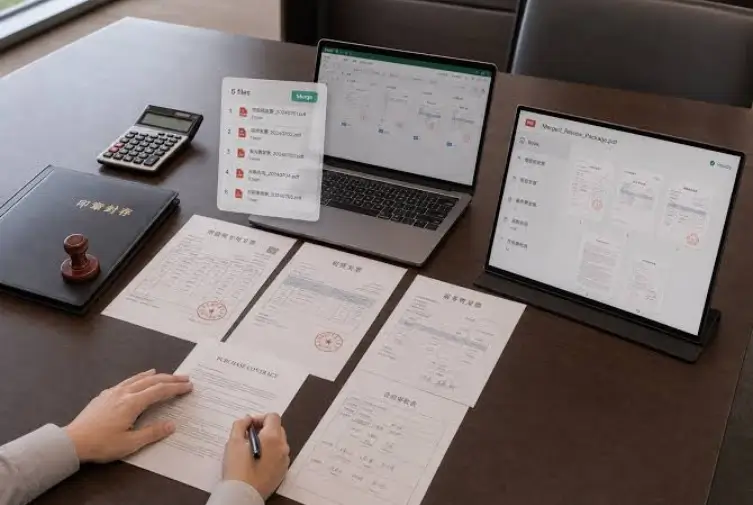
With a lot of different contracts, reports, and invoices to process each day, it can be a real waste of time if your team does not streamline all those tasks into a single, manageable report. Fragmentation of documents in today’s digital office environment is an unacknowledged productivity drain.
With documents being spread out among multiple file formats and directories, decisions are made more slowly, and the possibility of losing important data rises. Through bringing all these resources together, you are not only cleaning up your computer screen but also forming a story for your projects and providing a single point of reference for all the relevant parties.
This can be achieved with merge PDF online tools, which, if chosen wisely, streamline document workflow without adding complexity or enormous cost.
What Businesses Should Look for in a PDF Merging Tool
The trick is to find software that helps you merge PDF files effortlessly, suits your organization’s setup, offers all the features you need, and becomes an extension of your current tech stack.
Regardless of the specifics of your business, there are five universal qualities of PDF editors that you should look for:
- Safe file management and data security
- Quality merging without losing any formatting
- Integration with cloud storage solutions such as Google Drive and Dropbox
- Quick deployment and user-friendliness
- Facilities for collaboration and sharing among dispersed teams
5 Best Tools to Merge PDF Documents for Business Use
While the market might seem saturated, there are not that many tools that merge PDF files together that offer all the qualities discussed before, and are suitable for a corporate environment. We’ve gathered five safe, reliable options that are currently available for professional document handling.
| Tool | Core Strength | Integration Level | Best Environment |
| Lumin | Collaboration & Sync | High (Google Workspace) | Fast-paced teams |
| iLovePDF | Task Speed | Moderate | Quick daily edits |
| Smallpdf | Ease of Use | Moderate | General office use |
| Sejda | Structural Control | Moderate | Professional/Legal |
| PDF24 | Cost (Free) | Low | Occasional use |
1. Lumin PDF (Best for Business Workflows & Team Collaboration)
As remote work has become popular, our list opens with Lumin. It’s a cloud-based platform for fast PDF merging that maintains formatting and document quality. Its biggest advantage is its seamless integration with Google Workspace, which is ideal for teams handling shared documents.
But Lumin’s integrations don’t end with storage services. As stated in their blog post, Lumin also works with Claude, allowing you to “turn AI conversations into professional documents with one click.” This particular feature turns out to be groundbreaking for companies trying to build a connection between ideation and documentation.
2. iLovePDF (Popular Choice for Quick Business Tasks)
In contrast, those who prioritize convenience over functionality may find more comfort in iLovePDF. The tool has a very unique set of functionalities, and is designed to perform actions such as merging PDF files online easily and quickly. This is a great solution for smaller businesses that require a fast one-time job done on merging PDF documents, such as receipts and reports. Though iLovePDF does not have all the functionalities that Lumin has, it is extremely fast.
3. Smallpdf (Well-Known Tool for Ease of Use)
If you want an easy experience and want your team to merge PDFs without trouble, try Smallpdf. It has a drag-and-drop feature that is very simple to use. The tool keeps the document quality reliable, making it a good choice for users who are not tech experts but need professional results. Its web-based nature ensures that your team can access these features from any browser or operating system, removing the need for local software installations.
4. Sejda PDF (Advanced Features for Professional Use)
For more control over document share and larger, more complex files, choose Sejda PDF to merge PDFs into one. As it is suitable for specific document structuring, it’s a safe bet for enterprises and departments that have high page counts or require detailed page-level organization before finalizing. You can easily rearrange, rotate, or even delete specific pages during the merging process, ensuring the final output is polished and perfectly sequenced for the end recipient.
5. PDF24 Tools (Less Popular but Efficient Free Option)
PDF24 Tools is our last recommendation. Although not very popular, this option is completely free and easy to use. Contrary to what you might think, being a low-budget platform doesn’t mean it can’t merge PDF files well. The tool offers good quality preservation, sufficient for small businesses and solo practitioners for occasional use.
Tips to Merge PDF Documents More Efficiently
Regardless of the tool you choose, you still need to know how to merge PDF documents efficiently and make full use of your PDF editor.
Here are five habits your team should form around document management:
- Group your files into a dedicated folder before you begin the merging process
- Use a standard date and project code format for all files to ensure they appear in the correct order
- Process your merged files on a cloud platform, so everyone has access to the final version instantly
- Set a recurring schedule to merge PDFs into one PDF for project milestones rather than doing it sporadically
- Review the page order in the preview pane before finalizing the merge PDF files together command to avoid rework
Conclusion
The ability to merge PDF files efficiently should be an invisible part of your day.
In essence, the correct software is what will help your operations hold together. As your business grows, the amount of documentation you deal with will increase, which is why it is important that you set up these processes from the beginning. Spent just a few moments now selecting the correct software, and you will reap countless rewards later by turning an arduous process into an automated one-click procedure.
By choosing a tool like Lumin that helps your team’s workflow, or choosing one like Sejda that will handle complicated documents, you will be able to use a process that meets your objectives, rather than working against them.