What Is Remote Desktop in Networking? A Simple Explanation
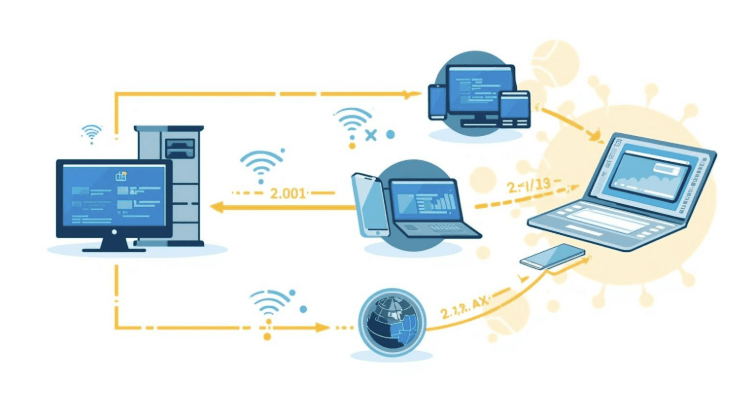
Networking connects devices so they can share resources and communicate. Remote desktop technology extends that idea in a specific and practical direction: it allows one device on a network to transmit its screen, keyboard input, and mouse activity to another device in a completely different location. Understanding where remote desktop fits within the broader landscape of networking helps clarify both how it works and why organizations use it the way they do.
The Basic Networking Context
A network is a system of interconnected devices that can send and receive data. Within an organization, devices on a local area network share the same physical or wireless infrastructure. Devices that need to communicate across greater distances do so over wide area networks, often using the Internet as the underlying transport.
Remote desktop technology operates across both environments. Within a local network, it functions as a way to access one machine from another without physical presence. Across the internet, it does the same thing but routes the session data through an encrypted connection between two endpoints that may be anywhere in the world.
The machine being accessed is called the host or server in this context. The device initiating the connection is the client. This structure, one device requesting a service, another providing it,t is a fundamental pattern in networking and underpins how remote desktop sessions are established.
For a grounding in how remote desktop technology fits into the larger concept of what a network is and how devices connect, following a what is remote desktop in networking resource that explains the technology from the ground up provides essential context before exploring implementation details.
How Remote Desktop Transmits Data Across a Network
When a remote desktop session is active, data flows continuously between the client and host. The host captures its screen output and encodes it, compressing the visual data into a stream that can be transmitted efficiently over the network. That stream travels to the client device, which decodes and renders it as a live display.
At the same time, the client sends input data back to the host: keystrokes, mouse movements, and clicks. The host processes these inputs exactly as it would if a user were physically present. From the perspective of the operating system on the host, the experience is functionally identical to local use.
The protocols that govern how this data is formatted, compressed, and transmitted vary by platform. Some are built into operating systems; Windows includes a built-in implementation, for example. Others are developed and maintained by third-party software vendors, often with proprietary compression and encoding optimizations that improve performance over lower-bandwidth connections.
Remote Desktop Within Different Network Architectures
How a remote desktop connection is established depends significantly on the network architecture in place.
Within a single local area network, both devices can typically reach each other directly. Setup is simpler because no external routing is required, and latency tends to be low because the data travels a short physical distance.
Across different networks, which is the more common scenario in modern IT environments, the connection needs a way to traverse the internet securely. There are two primary approaches. The first is to configure the host machine’s network to accept incoming connections on the required port and direct them to the right device. This involves network-level configuration and introduces exposure unless carefully secured.
The second, and generally more practical approach, is to use remote desktop software that routes sessions through the vendor’s own infrastructure. In this model, both the client and the host establish outbound connections to an intermediary server, which then bridges the session between them. Neither device needs to be directly reachable from the internet, which reduces the attack surface considerably and simplifies setup across diverse network environments.
For background on the broader networking model that underlies how clients and servers interact, the foundational pattern that remote desktop technology builds on the client-server architecture reference from Britannica provides a clear explanation of how this computing model works and why it became the standard approach for distributed network services.
Latency, Bandwidth, and Performance in Remote Desktop Sessions
Because remote desktop involves continuous data transmission, network conditions have a direct effect on the quality of the session experience. Latency, by the delay between an input being sent and a response being received, is the most perceptible factor. On a session with high latency, there is a visible lag between typing and seeing characters appear on screen, or between moving a mouse and seeing the cursor respond.
Bandwidth affects how much visual data can be transmitted per second. Under constrained bandwidth, remote desktop software typically reduces frame rate or lowers image quality to keep the session responsive rather than dropping the connection. Modern platforms adapt to available bandwidth automatically, making them more resilient under variable network conditions than earlier implementations.
For most standard desktop tasks, office applications, file management, and system administration, a connection of a few megabits per second is sufficient. More demanding scenarios involving video playback or graphics-intensive applications require more bandwidth and benefit from hardware acceleration features that some platforms support.
See also: AI Receptionist Are Changing How Businesses Handle Calls
How Remote Desktop Relates to Other Remote Access Technologies
Remote desktop is one of several technologies that fall under the broader category of remote access. Understanding how it relates to the others helps clarify when it is the appropriate tool.
Virtual private networks extend a private network over the internet, allowing a remote device to behave as though it were on the local network. This gives access to shared resources like file servers and internal applications, but it does not transmit the screen of a specific machine. It is primarily a network-layer tool.
Remote desktop, by contrast, provides access to a specific machine’s environment. A user or technician sees that machine’s desktop, runs its applications, and interacts with it directly. This is more suitable for support scenarios, administration of specific endpoints, and use cases where the goal is to operate a particular machine rather than simply access network resources.
Cloud-hosted virtual desktops, sometimes called desktop as a service,e represent a related but distinct approach where the desktop environment itself runs on a remote server rather than on a physical machine at a specific location. Remote desktop protocols are often used to access these environments, but the underlying infrastructure is different from accessing a physical endpoint.
The overlap between these technologies means organizations sometimes combine them. A technician might use a VPN to reach an internal network and then use remote desktop software to access a specific machine within that network, layering the two approaches for both connectivity and machine-level access.
Why Networking Fundamentals Matter for Remote Desktop Setup
Practical knowledge of networking makes remote desktop configuration significantly more straightforward. Understanding concepts like IP addressing, DNS resolution, port numbers, and network topology allows IT professionals to troubleshoot connectivity issues accurately when a session fails to establish,h rather than treating the problem as opaque software behavior.
NIST’s dedicated topic page on networking research and standards, available through the NIST networking research overview, covers the technical publications and guidelines that underpin how networked systems are designed and secured in enterprise environments.
The intersection of remote desktop technology with networking is not just a matter of transmission; it also shapes decisions about access control, session security, and infrastructure design, for any IT team deploying remote desktop at scale, building that foundational understanding pays dividends at every stage of implementation and maintenance.
Frequently Asked Questions
Does remote desktop work on any type of network, including wireless?
Remote desktop works over any network capable of carrying internet traffic, including wired Ethernet, wireless LAN, and cellular connections. Session quality varies with network conditions. Wired connections typically offer lower latency and more consistent bandwidth than wireless, but well-implemented remote desktop software adapts effectively to wireless conditions for most standard tasks.
Is a dedicated server required to use remote desktop in a business environment?
A dedicated server is not required for basic remote desktop use. Any capable endpoint, such as a workstation, laptop, or server, er can act as a host. In larger environments, organizations sometimes use server infrastructure to host shared virtual desktops, but direct endpoint-to-endpoint remote desktop access is common and does not require server infrastructure beyond what the software itself provides.
How does remote desktop handle connections when the host machine is behind a firewall or router?
Third-party remote desktop platforms typically handle firewall and NAT traversal automatically by routing sessions through the vendor’s cloud infrastructure. Both the client and host establish outbound connections rather than requiring inbound ports to be opened on the host network. For built-in operating system tools, port forwarding or VPN configuration is usually required to enable access from outside the local network.